Indulge
Summary
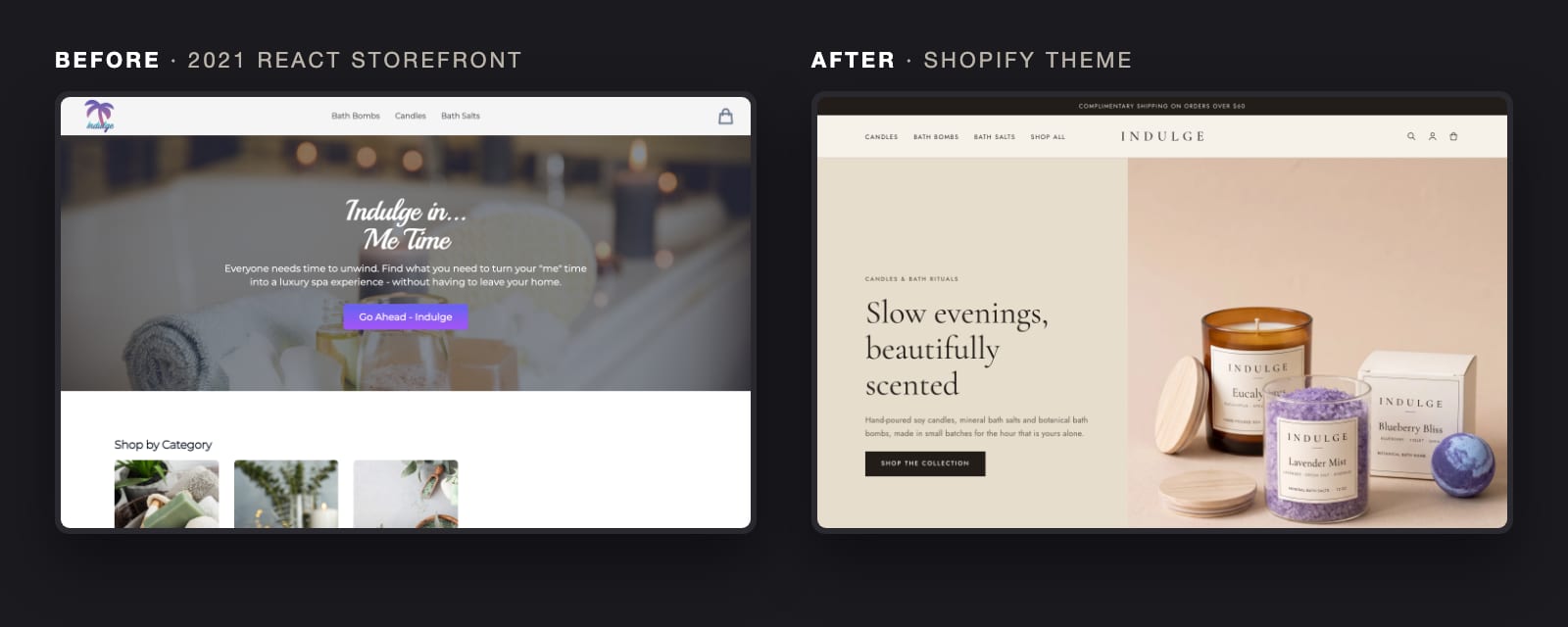
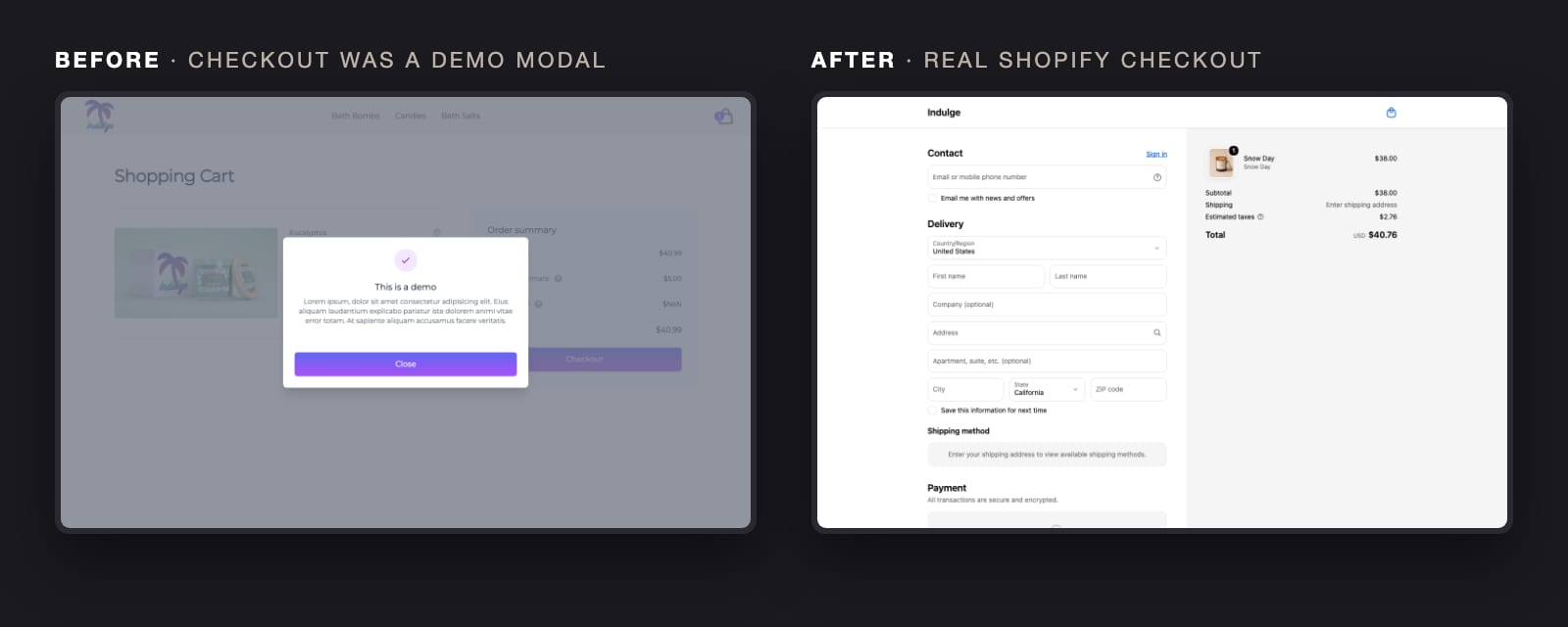
In 2021 I built Indulge, a candle and bath shop, as a headless React storefront on Shopify's Storefront API. Five years later it had become a familiar kind of problem: products could be added to the cart, but the checkout button opened a placeholder modal, the cart was lost on every page reload, every page shared the same title, and in Google's mobile test the homepage took over a minute to show its main image. The brand, a gradient palm tree, looked its age too.
I rebuilt it the way I'd recommend to a client: as a Shopify theme the merchant can maintain, with a refreshed brand and photography to match. Indulge is a demo brand, so every product, label and photo is original to the project.
Key Features:
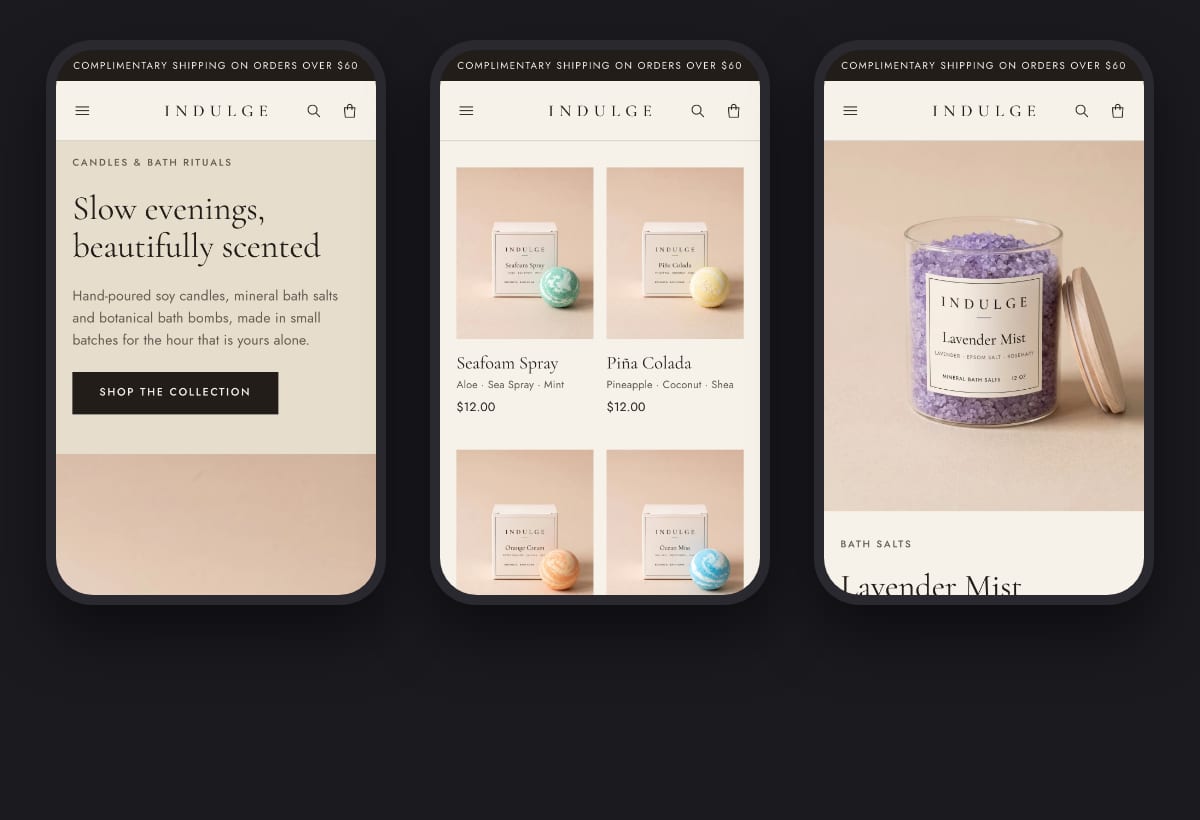
A Theme Built From Scratch - Built on Skeleton, Shopify's minimal block-first starter, rather than customizing a full theme. Every page, block and stylesheet is my own code, with no sections or JSON templates. Brand colors, copy, menus and images are settings the merchant changes, not code.
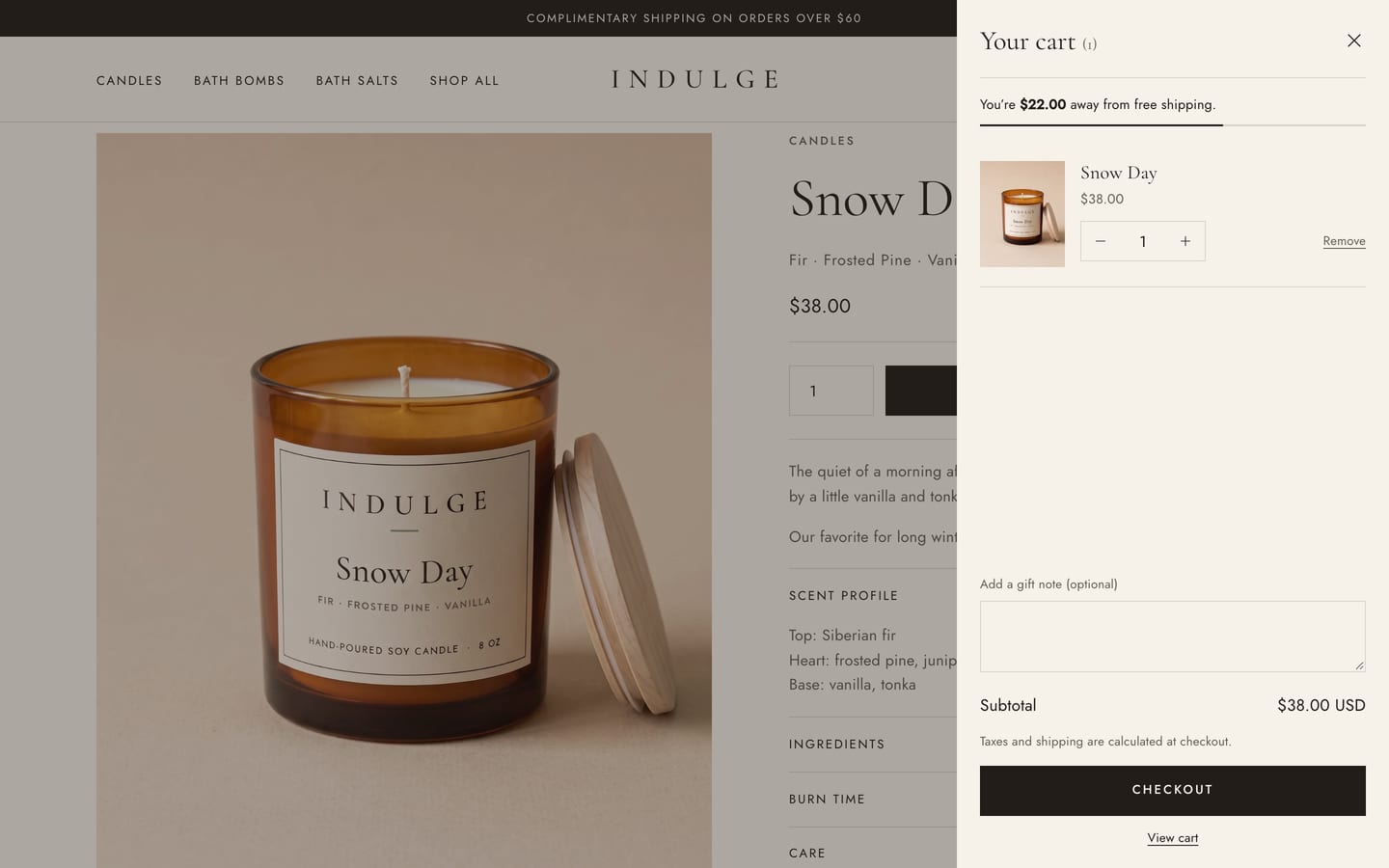
A Checkout That Works - Add to cart opens a slide-out cart drawer with quantity controls, a free-shipping progress bar and a gift note, and checkout hands off to Shopify's own checkout. The drawer re-renders from Shopify on every change, so prices and totals always come from the platform, and everything still works without JavaScript.
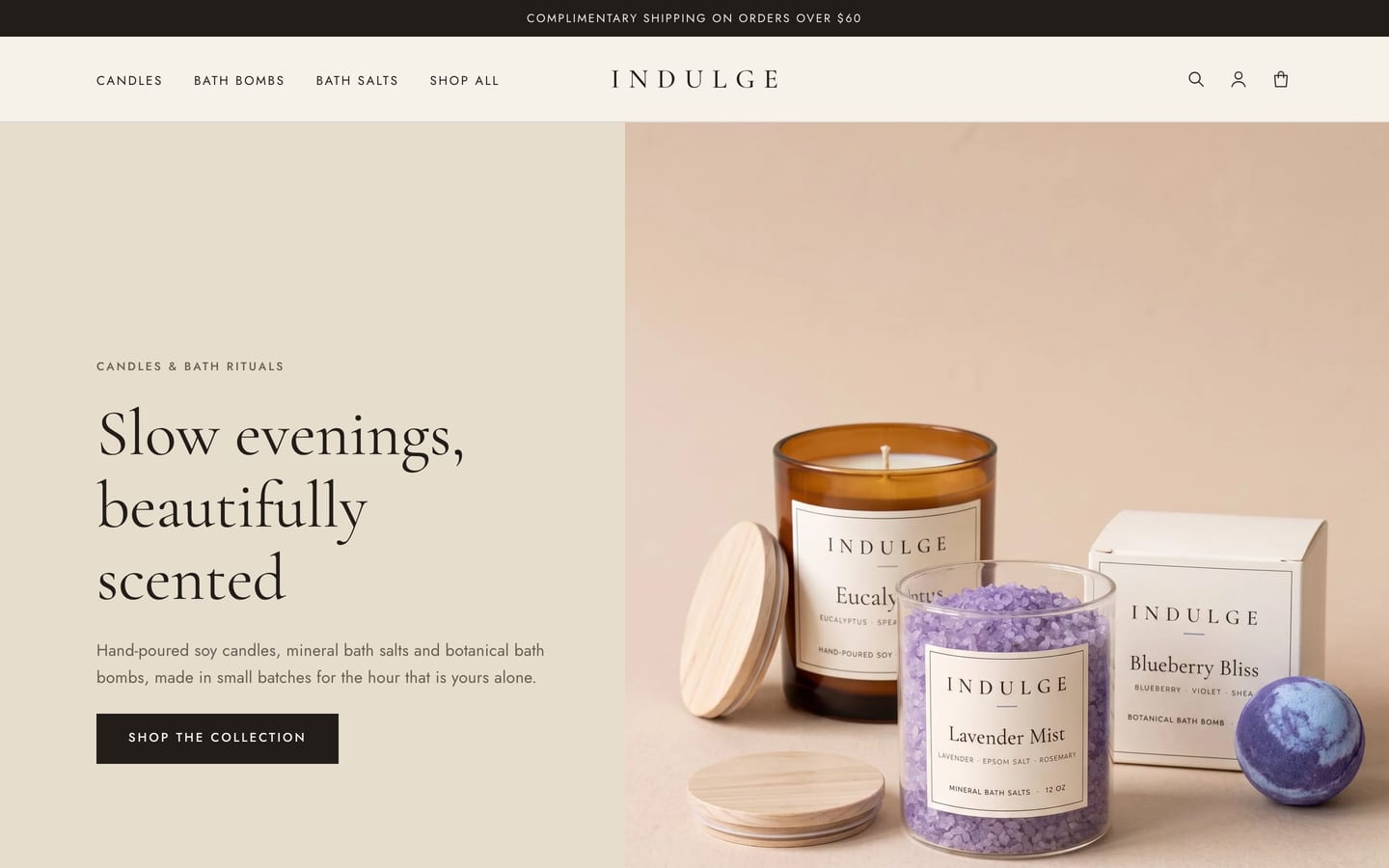
Brand Refresh - A spaced serif wordmark drawn as SVG, a linen, oat and ink palette, self-hosted Cormorant Garamond and Jost, and a calm, editorial layout in place of the 2021 gradients.
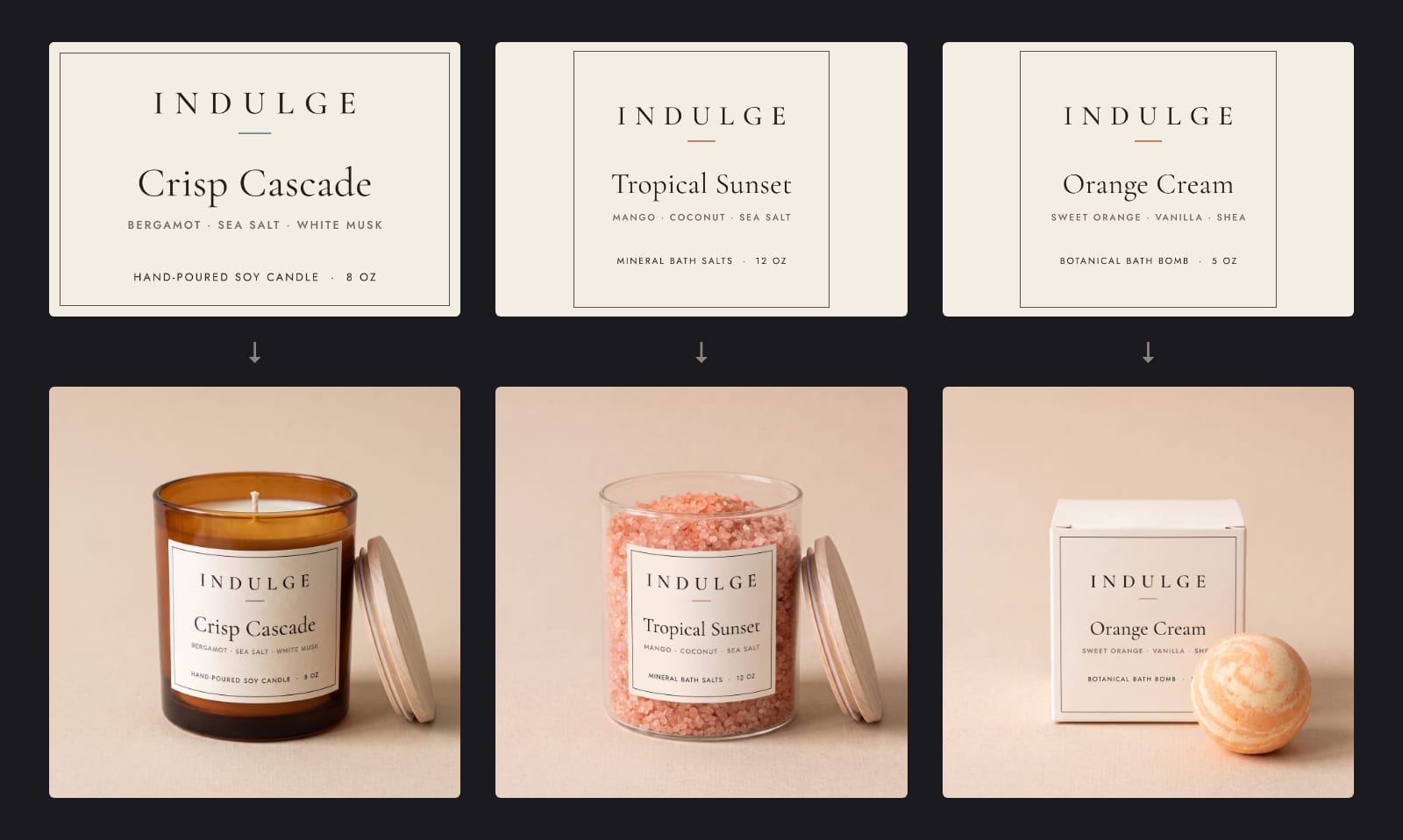
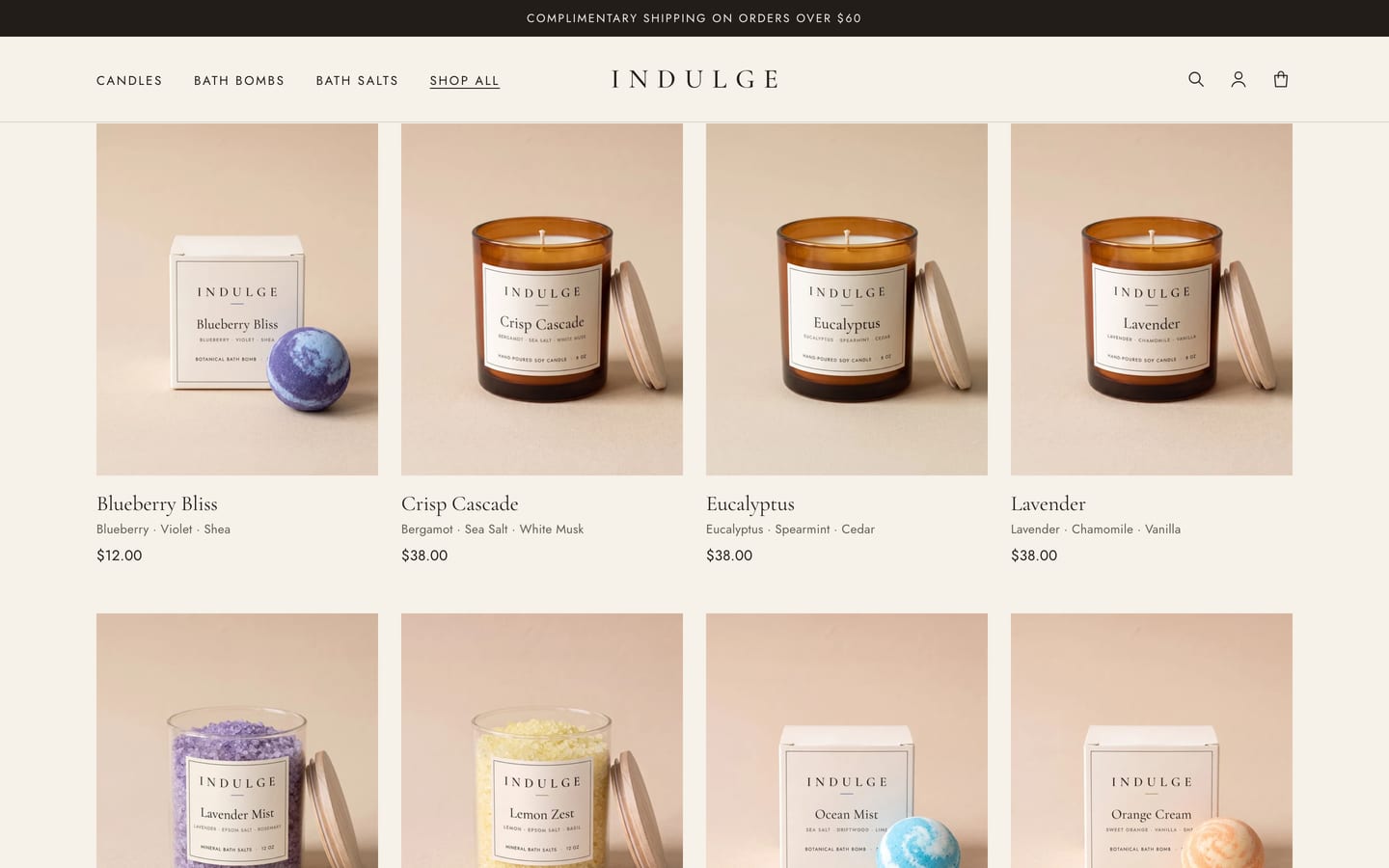
AI-Rendered Packaging and Photography - Without a photographer or Photoshop, I generated each product's label in code from the brand fonts and colors, then rendered every product in its new packaging with the same AI image models behind my Product Studio app. After the first, each render used an approved one as a style reference, so all 15 products share one jar, one box, one backdrop and one light.
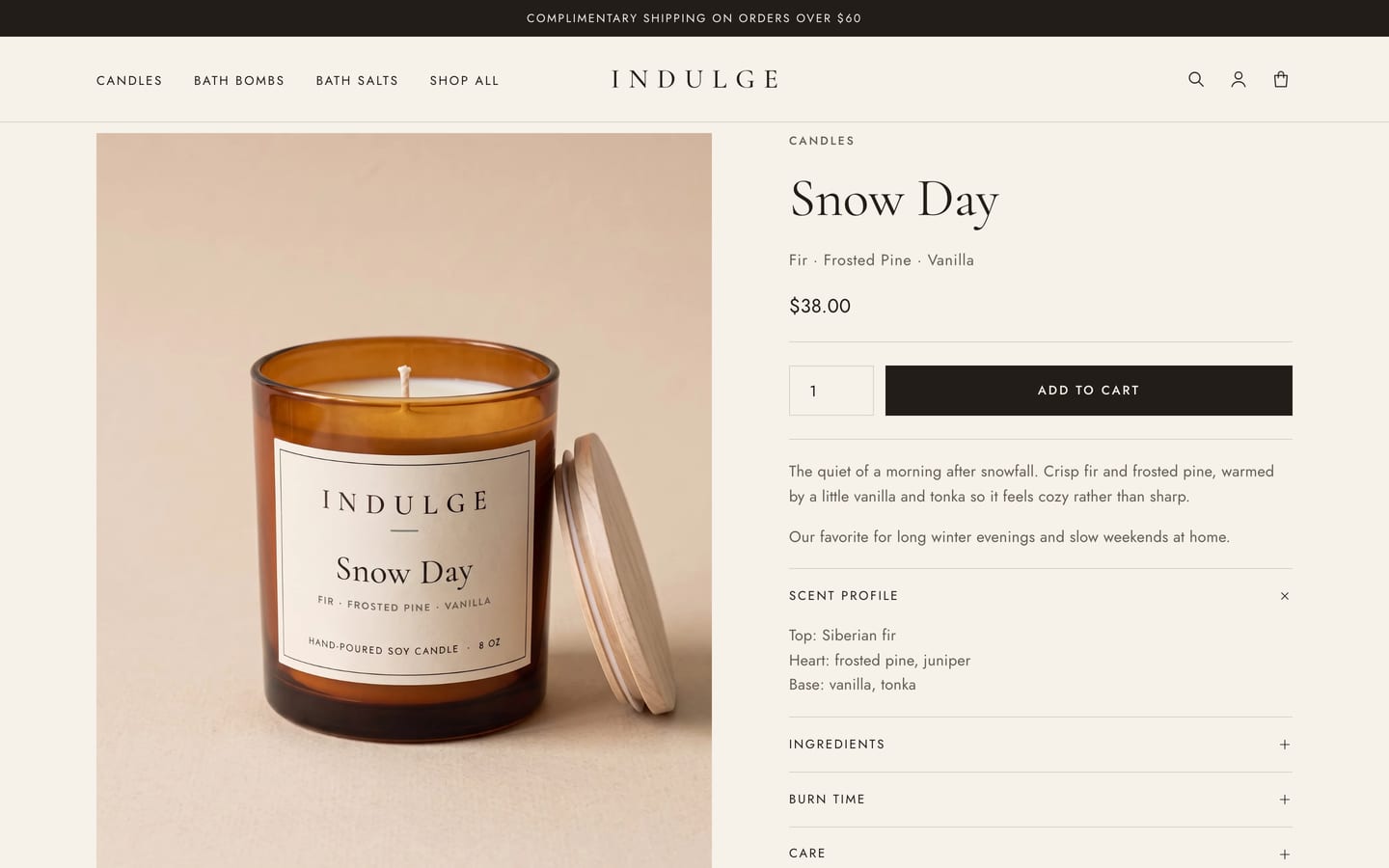
Structured Product Data - Scent notes, top, heart and base notes, ingredients, burn time and care live in product metafields, so product pages fill themselves in and the merchant edits them in the admin, not in code.
Filters, Sorting and Search - Collection pages use Shopify's Search & Discovery filters with removable filter chips and sorting, all as plain forms that work without JavaScript.
Technical Highlights:
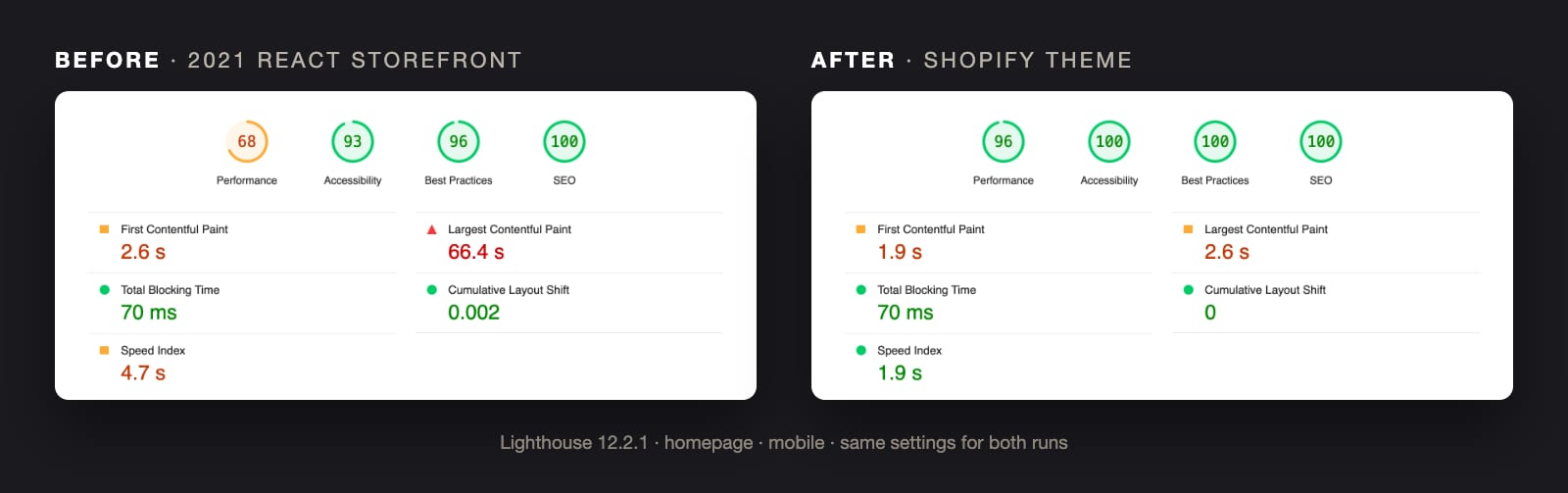
Lighthouse, same settings before and after: the homepage's mobile performance score went from 68 to 94-96, its largest image now appears in under 3 seconds instead of 66, and page weight fell from 15 MB to under 2 MB. Desktop scores 100 on every page I measured, and accessibility, best practices and SEO score 100 on mobile and desktop. Best practices first came in at 79: the header's stock Shopify account button embedded a Shop sign-in frame on every page, and its third-party cookie was the only failing check. Replacing it with a plain account link fixed the score and made every page a little lighter.
The catalog lives in one JSON file. A script applies it through the Admin GraphQL API: it registers the metafield definitions and sets every description, detail and price, and further scripts upload the product photos, set collection images and build the menus. Theme Check passes with no warnings.
This project brought together the two things I want to offer clients: careful, maintainable Shopify theme work and practical uses of AI that save real time and money.
Application Screenshots
Tech Stack
Shopify Liquid
Skeleton Theme
Theme Blocks
Metafields
Shopify Admin GraphQL API
Shopify CLI
JavaScript
CSS
AI Image Generation (fal.ai)
Lighthouse
Interested in working together?Let's talk.
I would love the opportunity to work with you on your next project! If you're interested and want to start a conversation, reach out below.
Contact